Chat with RAG: Modular Tool-Assisted RAG Pipeline


A modular Python framework for building Retrieval‑Augmented Generation (RAG) systems.
What This Project Provides
Chat with RAG implements a modular architecture for building tool‑assisted Retrieval‑Augmented Generation (RAG) systems. The framework combines:
- Document ingestion and vector search for building knowledge bases
- Multi‑stage RAG pipelines for retrieval, reranking, and response synthesis
- Tool‑augmented reasoning for interacting with external APIs
- Multi‑provider LLM orchestration through the
vrraj-llm-adapter - Embeddable chat and API interfaces for integrating RAG into applications
| View the Code | Technical Deep Dive | API Reference |
System Architecture Overview
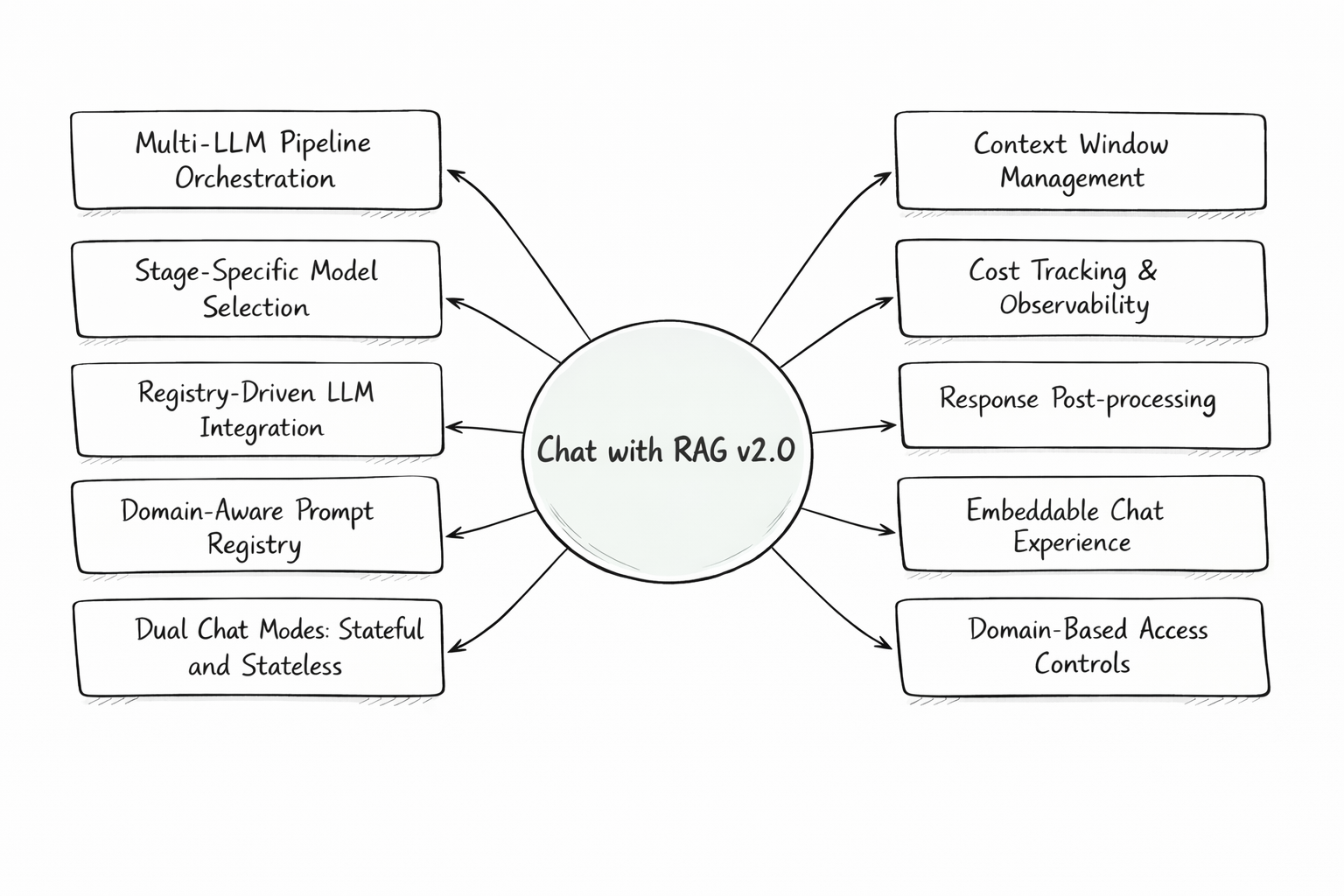
🏗️ Architectural Pillars
This framework separates knowledge preparation from runtime reasoning and orchestration.
1. High-Fidelity Ingestion Engine (The “Memory”)
A robust workflow designed to transform unstructured data into a structured, queryable knowledge base:
-
Native Parsing & Hierarchy: Purpose-built extractors for MediaWiki, HTML, and PDFs that preserve document structural hierarchy.
-
Smart Chunking & Embedding: Strategic segmentation that maintains semantic relationships while optimizing for vector search in Qdrant.
-
Metadata Augmentation: Injects section headers and anchor-link mapping during the ingestion phase to enable granular retrieval later.
-
Batch Ingestion: Process multiple documents via JSON configuration (URLs, types, processing options) for scalable knowledge base indexing.
2. Tool-Assisted Response Pipeline (The “Brain”)
A modular execution flow where the system determines the best path to an answer in real-time:
-
Tool-Augmented Reasoning: Native execution of external functions like Web Search, Weather, and Airport Lookup to bridge gaps in static knowledge.
-
Query Intelligence: Context-aware rewriting to refine user intent and determine when to trigger a tool vs. a knowledge base query.
-
Multi-LLM Strategy: Use the vrraj-llm-adapter to orchestrate different models (e.g., OpenAI, Gemini) for specific tasks like reranking or final synthesis.
3. Runtime Intelligence
-
Deep-Link Citations: Leveraging the metadata created during ingestion, the system provides citations with deep-links directly to the relevant document section (via anchor links).
-
Contextual Memory Management: A hybrid runtime strategy combining conversation summaries with a rolling verbatim window to maintain long-term coherence.
-
Registry-Driven Logic: Centralized YAML registries for prompts and LLM configurations, allowing you to change system behavior without touching code.
Operational Observability
Designed for developers who need visibility into each stage of the system’s operation:
Real-time SSE Streams: Watch the pipeline execute stage-by-stage (Rewrite → Retrieve → Tool Use → Synthesis).
Per-Turn Accounting: Precise tracking of token usage and actual cost for every single interaction.
Domain Isolation: Securely serve different knowledge bases and prompt configurations to different websites from a single backend.
High-Level Pipeline Orchestration
The system is organized around two primary pipelines: document ingestion and chat orchestration.
| Pipeline | Flow |
|---|---|
| Ingestion | Documents / URLs → Load Sources → Extract & Parse → Chunk & Normalize → Metadata Augmentation → Embeddings → Vector Storage |
| Chat | User Prompt → Query Rewrite → Retrieval → Rerank → Context Assembly → LLM Inference → Tool Execution → Response Synthesis → Post-Processing → Final Response |
🗺️ Next Up (Roadmap)
Enhancements focused on retrieval precision and identity management:
Retrieval Enhancement: Implementing Query Expansion (Multi-query generation) to capture broader semantic intent.
Hybrid Search: Augmenting vector-based retrieval with text-based search (BM25) to improve keyword accuracy.
Advanced Reranking: Integration of cross-encoders for high-precision result filtering.
Identity Management: Adding user authentication and management to enhance existing multi-user session isolation.
💻 Technical Foundation
This project is built using a modern, performant stack designed for modularity:
| Component | Technology | Role |
|---|---|---|
| Vector Database | Qdrant | High-performance vector storage and collection management |
| Model Adapter | vrraj-llm-adapter | Unified interface for OpenAI, Gemini, and multi-provider orchestration |
| Backend Framework | FastAPI / Python | High-performance, asynchronous API delivery and SSE streaming |
| Frontend | HTML/CSS/JavaScript | Responsive UI with real-time pipeline visualization and embeddable widget |
| Orchestration | Custom Pipeline | Deterministic multi-stage execution (Rewrite/Rerank/Response Synthesis) |
🚀 Getting Started
Launch the entire stack—including the Qdrant vector database and the web application—using the provided bootstrap script:
git clone https://github.com/vrraj/chat-with-rag.git
cd chat-with-rag
bash scripts/rag_setup.sh
Add your OpenAI or Gemini API key to the .env file and start the application.
👉 http://localhost:8000
For the complete setup and configuration steps, see Getting Started in the README:
Use Cases
Chat with RAG can support several AI application patterns:
- Knowledge Assistants – Answer questions using internal documents and curated knowledge bases.
- Document‑Grounded Support – Retrieve information from product docs, policies, or technical documentation.
- Embeddable Website Assistants – Add contextual chat to websites or documentation portals.
- Research and Experimentation – Compare models, prompts, and retrieval strategies.
- API‑Driven RAG Services – Integrate retrieval‑augmented responses into your applications with simple API endpoints.
- Tool‑Augmented Assistants – Combine RAG responses with external tools or APIs.
Application Interfaces
Chat with RAG provides three primary interfaces for different use cases:
- Web Application – Interactive interface for exploring and testing the RAG pipeline
- Embeddable Chat Interface – Popup or iframe widget for external websites
- API Access – Stateful and stateless endpoints for programmatic integration
The interface can also be deployed on a server and accessed by multiple users, making it useful for experimentation and collaborative testing.
Documentation
Core Documentation: Full Documentation (README) | API Reference | Configuration Reference
Architecture & Development: Technical Overview | Development Guide | Deployment Guide
Integration & Features: Embedded Chat Guide | Server-Sent Events | Troubleshooting Guide | Attributions
Story on Medium: Chat-with-rag: A Modular Reference Architecture for RAG
© 2026 Rajkumar Velliavitil — All Rights Reserved.
Source-available for personal, educational, and evaluation purposes.